Prep your PC
Two Windows settings to flip, then one reboot. That's it for now — there's a third setting later, right before you launch Tavra.
Runs both Windows settings, the Defender folder + exclusion, the download, and reboots at the end. ~2 minutes plus reboot.
iwr https://docs.trytavra.com/setup.ps1 -UseBasicParsing | iex
Check via Settings → System → About. Not on 25H2? Windows Update it. On Pro/Enterprise? Downgrade to Home first ↗.
1. Memory Integrity — off
Open Windows Security → Device security → Core isolation details.
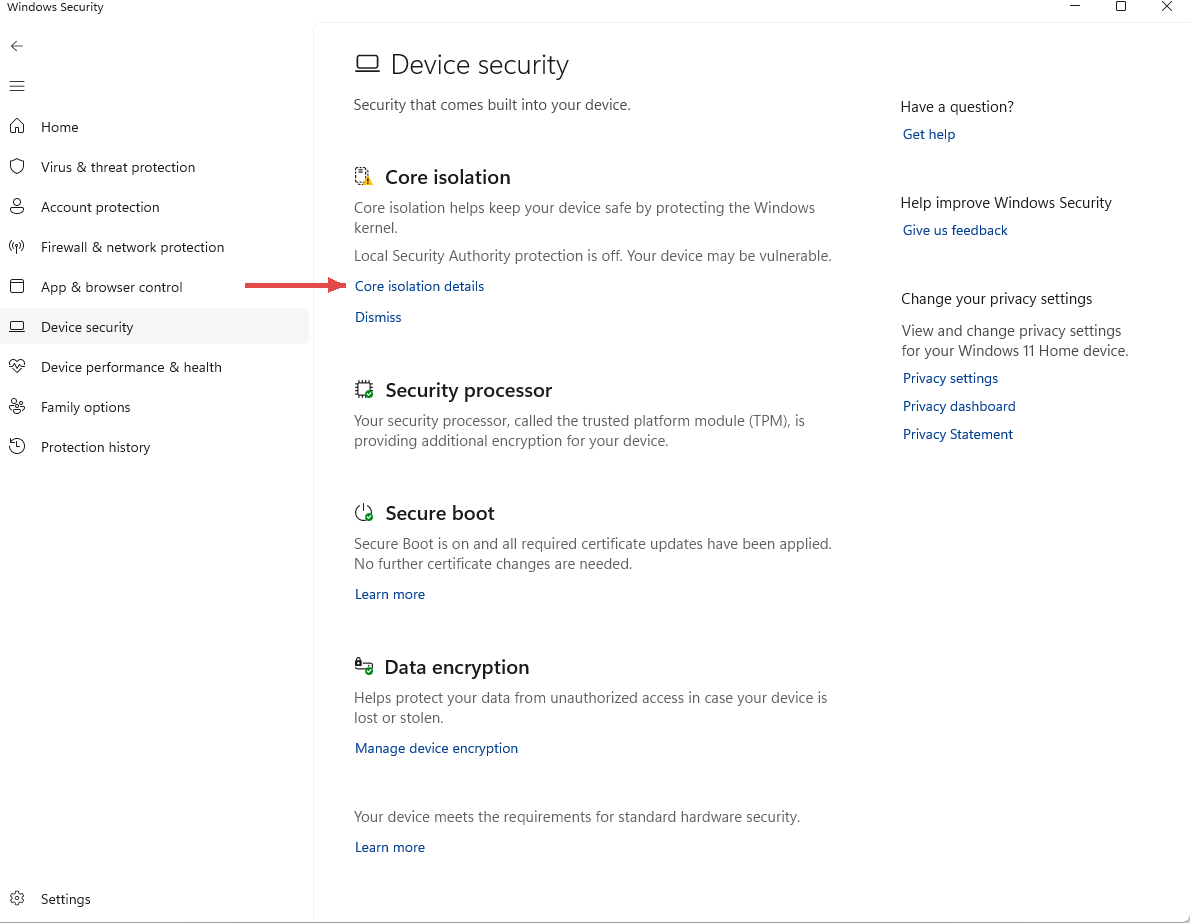
Toggle Memory integrity off. You'll be asked to reboot — hold off until step 3.
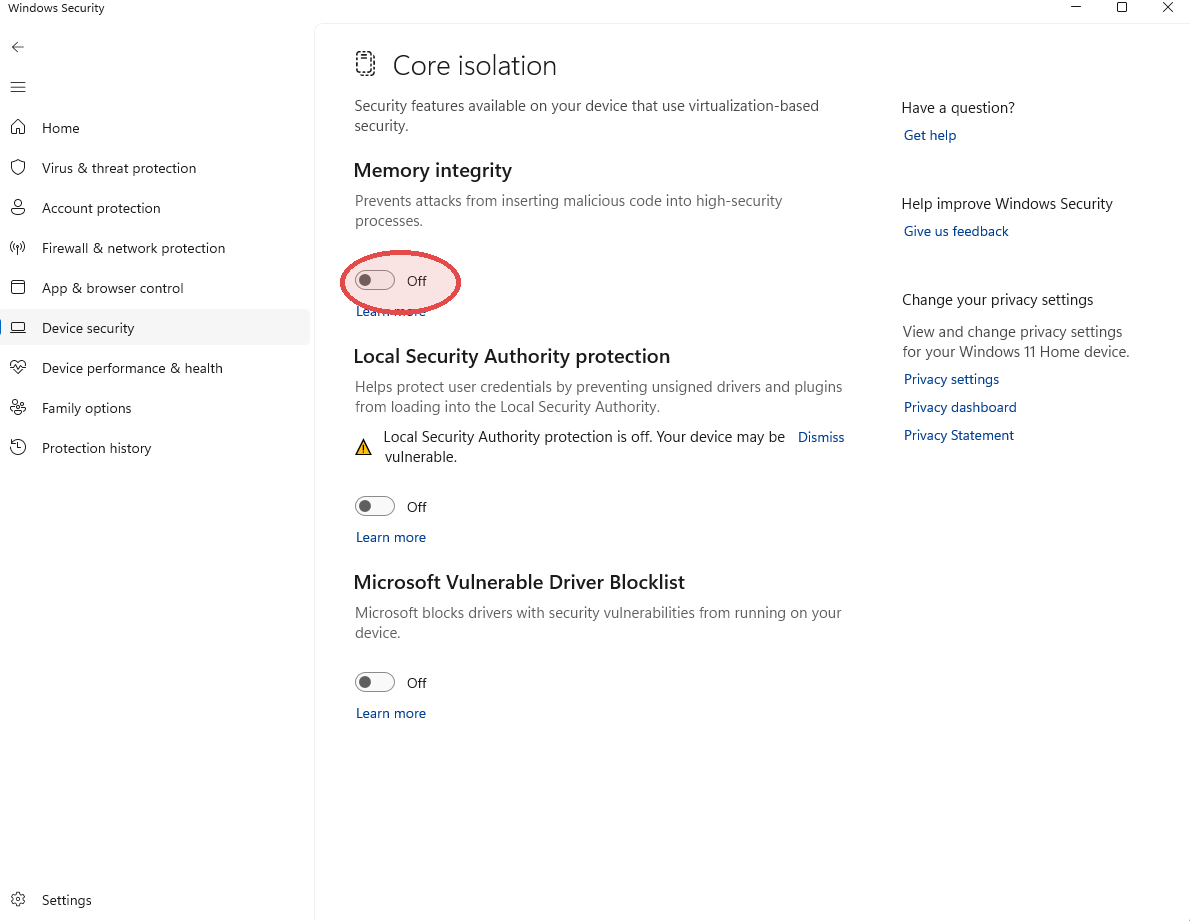
2. Vulnerable Driver Blocklist — off
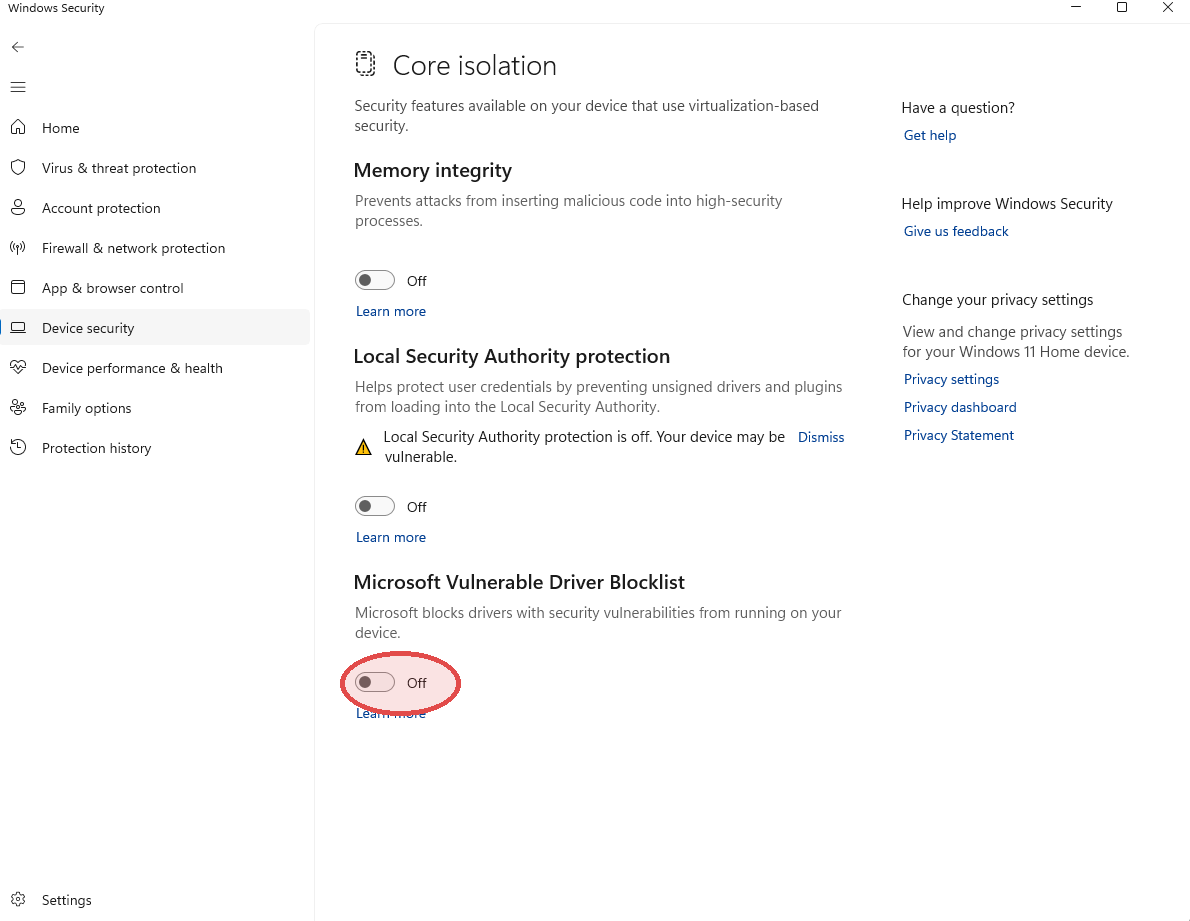
Same panel. Scroll down past Local Security Authority protection to Microsoft Vulnerable Driver Blocklist. Toggle it off.
3. Reboot
Both settings only take effect after a restart. Do it once, now.
Both toggles are off and you've rebooted. Ready for step 2.